Showing posts with label iPhone. Show all posts

Thursday, January 10, 2013

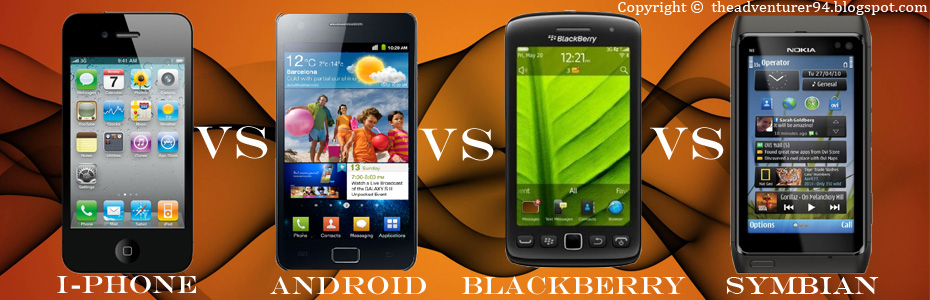
Fakta iPhone, Blackberry, Symbian, Android [No Offense]


[No Offense]
VIRUS
ANDROID : Sulit juga kita menyebar ke
android, udah diproteksi google
- IPHONE : Makanan empuk, saatnya
kita serang
SYMBIAN : Bosen meng-infeksi symbian,
udah berhasil menginfeksi 90% hp
symbian
BLACKBERRY : Hanya virus-virus
bodoh yang masuk ke sini
MENGEKPLORASI SISTEM
ANDROID : Root
IPHONE : Jailbreak
SYMBIAN : Hack
BLACKBERRY : 404 Not Found
KEOPTIMISAN
ANDROID : optimis
IPHONE : optimis
SYMBIAN : pesimis, tahun 2016 aku
dah ngga ada
BLACKBERRY : pesimis, RIM bentar lagi
brangkut
LAYAR
- ANDROID : Nih liat layarku paling
canggih karena ada SUPER AMOLED
PLUS
- IPHONE : Layar hapeku ada RETINA
DISPLAY yang lebih ramah dengan mata
- SYMBIAN : Layarku lebih canggih pake
NOKIA CLEAR BLACK DISPLAY
- BLACKBERRY : Layarku retak :’(
HP DIBAWA DI JALAN
- BLACKBERRY : Lagi nungguin bbm
dari si ayang : (always bbm)
- ANDROID : Lagi sambil nge-restorerom
(always ngoprek)
- SYMBIAN : Lagi internetaaan…
Mumpung gretong (always internetan)
- IPHONE : Gpp, seneng aja megangnya.
(always bangga)

NOTIFICATION
- BLACKBERRY : Ada bbm masuk
- IPHONE : Oh email dari kantor
- ANDROID : Aduh, baterai tinggal 15%
- SYMBIAN : Akhirnya kedeteksi juga
virus
IBARAT PAKAIAN
- IPHONE : ini baju jas celana sepatu
silahkan dipake, pake gaya apapun tetep
oke
- ANDROID : ini baju jas celana sepatu
silahkan dimix and match sesuai
kebutuhan
- SYMBIAN : ini baju jas celana sepatu
silahkan dimodifikasi sesuai selera anda
- BLACKBERRY : ini baju jas celana
sepatu kayanya udah waktunya
disumbangin
HAL BARU
- IPHONE : Wah ada game dan aplikasi
baru
- ANDROID : Wah ada rom, game dan aplikasi baru (always oprek’)
- SYMBIAN : Wah ada trik gretong baru
- BLACKBERRY : Wah ada gossip baru
KEREN TAPI…
- ANDROID : Keren tapi baterai cepet
boros
- IPHONE : Keren tapi mahal
- SYMBIAN : Keren tapi banyak virusnya
- BLACKBERRY : Yang penting bisa
BBM + boros
SIFAT PEMILIKNYA
- ANDROID : IQ tinggi
- SYMBIAN : Konservative
- IPHONE : High Class
- BLACKBERRY : Menengah
DATA KONTAK ILANG
- BLACKBERRY : Maaf kontaknya
tiba-tiba ilang ngga tau kenapa
- SYMBIAN : Kontakku ilang habis di
Hard Reset gara-gara virus
- ANDROID : Kontakku aman kan bisa
sync dengan gmail
- IPHONE : Backup kontak dari aplikasi
gue ahh
TEKNOLOGI
- IPHONE : Teknologi ngerti bahasa kita,
karena semakin canggihnya iphone
- ANDROID : Kita jadi ngerti teknologi
karena bisa buat aplikasi , memasuki
system, dll
- SYMBIAN : Kita semua saling mengerti
( mudah, simple) dipakai oleh sejuta umat
- BLACKBERRY : Gue ngga tau apa-
apa tentang teknologi, yang tahu Cuma
PIN sama BBM
KONEKSI INTERNET
- ANDROID : Mantap negh pake
jaringan LTE 4G, download bisa sampe 5
MBps
- SYMBIAN : 3,5G & HSDPA dan
gratissss.. Mancaap!
- IPHONE : Mending pake WIFI aja
- BLACKBERRY : Kalian masih
mending, BB gw cuma dapet koneksi 2G
RESTORING DATA
- IPHONE : ribet bener negh apa2 harus
ke iTunes dan colok ke PC
- BLACKBERRY : Harus ke Services
Centre ==”
- ANDROID : Masukin ID & password
Gmail. Done, just it!
BROWSING
- ANDROID : “Beehh liat deh di website
nini, keren euy”
- SYMBIAN : ” iya ya, keren, punyaku
juga keren”
- IPHONE : “yahh pake flash yah, ga
nongol di gue”
- BLACKBERRY : “ini web kok ngga
muncul2 yah?”
BELI HP BARU
- IPHONE : beli ini untuk 1-2thn
kedepan (mencari efisiensi)
- BLACKBERRY : ini BB gw yang
terakhir (mencari-cari alasan)
- SYMBIAN : Yg penting bisa internet
gretong, I love symbian (biar irit pulsa)
- ANDROID : Anjriiittt, udah mau keluar
lagi yang baru (mencari duit tambahan )
MESSENGER
- BLACKBERRY : Masa bodoh ah lo mw
pada bilang apa yg pnting gw bisa bbm-
an daripada yang lain ngga bs bbm-an
- ANDROID : ah cm menang bbman
doang, ku masih punya whatsapp, google
talk, yahoo messenger, dll
- IPHONE : Hmm ngikut ajja deh
- SYMBIAN : Hmm ngikut ajja deh
CRYING KIDS
- ANDROID : Aduh anak gw nangis -
kukasih liat aja video lucu di youtube
( anaknya berhenti menangis)
- IPHONE : Aduh anak gw nangis -
kuajak main game HD for kids ( anaknya
berhenti menangis)
- SYMBIAN : Aduh anak gw nangis –
ku putarin lagu anak-anak ( anaknya
berhenti menangis)
- BLACKBERRY : Aduh anak gw nangis
– ku ijinkan pencet – pencet hape, tiba-
tiba rusak ( orang tuanya menangis )
GAME ONLINE
– IPHONE : “Ayo coba lawan karakter
Homerun 3D gw”
– ANDROID : “Sapa takut? buruan add
gw.”
– SYMBIAN : “main game online yg laen
dong.. Biar gua bisa ikut”
– IPHONE & ANDROID : “oke deh”
– BLACKBERRY : “Ya udah, gw kasih
support aja deh buat kalian.”
YOUTUBE STREAMING
– ANDROID : “Wakaka kocak neh video”
– IPHONE /SYMBIAN : “Mana2… apa
judulnya?? Haha iya gebleg banget”
–BLACKBERRY : “Berisik… boros pulsa
tau….”

*dikutip dari Kaskus.com dengan penambahan seperlunya

Tuesday, October 23, 2012

Perpanjangan Akun Whatsapp Hingga 10 Tahun


Berbagai cara dilakukan untuk mendapatkan perpanjangan akun dari messenger whatsapp atau yang lebih dikenal dengan WA. WA ketika kita mengunduh dari google play dan meregistrasikan, maka WhatsApp Inc memberikan anda masa uji coba selama satu tahun untuk menggunakan fitur messenger buatannya secara gratis.
Ketika waktu berlalu dan anda telah menghabiskan masa uji coba selama satu tahun tersebut membuat anda semakin tidak ingin melepaskan WA, bagaimana cara memperpanjangnya? Berbagai layanan jasa disediakan untuk memperpanjang akun WA tersebut. Namun pada artikel ini saya akan mencoba mengungkap bagaimana trik yang digunakan untuk memperpanjangnya selama sepuluh tahun.

Bukan maksud saya untuk menabuh genderang perang dengan penyedia jasa perpanjangan WhatsApp selama 10 tahun, saya membuat artikel ini hanya untuk berbagi dengan pembaca setia blog maxiandroid. Rejeki sudah ada yang atur dari Sang Pencipta, jadi jangan khawatir tentang adanya artikel ini.
Sebelum adanya trik ini, ada cara yang menggunakan google checkout, namun saya tegaskan dan saya garansi kepada anda, bahwa akun anda akan mengalami roll back jika menggunakan cara ini karena WA akan mengkonfirmasi google checkout bahwa pembayaran anda adalah semu. 
Ada pula cara dengan membongkar APK, saya juga mengambil kesimpulan bahwa WA adalah server side dimana segala aktiftas akun diolah diserver, bukan client side, jika anda dapat mengubah tanggal kadaluarsa, itu hanyalah fake (tulisan di device berubah namun kadaluarsa diserver tetap)
Berawal dari teman saya yang menggunakan WA dan sudah mendekati masa kadaluarsa mengeluh kepada saya, saya melihat di beberapa thread adanya penyedia layanan, namun saya berpikir jika seseorang bisa, kenapa kita tidak bisa? Kita juga harus bisa, dan ketika saya mencari di google saya menemukan caranya di sini, kemudian saya coba (kebetulan ada service-an blackberry torch dan iphone, dan android karena saya android user), alhasil akhirnya berhasil akun teman berubah masa aktif menjadi 10 tahun (bukan akun saya,karena saya tidak punya WA).

Mari kita mulai,
Peralatan yang dibutuhkan:
1.nomer yg ingin diperpanjang akun whatsapp-nya

2.hp/bb/tablet android
3.iphone yg sudah Jail Break (wajib)
4.koneksi internet
Langkah: 

1.uninstall aplikasi whatsapp di hp nokia/bb/tablet atau hp android + di iPhone JB anda.
2.masuk ke appstore dan install whatsapp-paid dari iphone JB anda.
3.buka aplikasi whatsapp d iphone JB anda kemudian registrasi dengan menggunakan no.hp nokia/bb/tablet atau hp android anda.
4.whatsapp akan mengirimkan sms verifikasi ke hp nokia/bb/tablet atau hp android agan (3 angka).
5.masukkan kode verifikasi tersebut ke iphone JB anda (yang sedang registrasi hp nokia/bb/tablet atau hp android anda)
6.Completed, status no.hp nokia/bb/tablet atau hp android anda akan ber-status paid dgn masa aktif 10 tahun.
7.uninstall aplikasi whatsapp pada iphone JB anda.
8.download ulang aplikasi whatsapp d hp nokia/bb/tablet atau hp android anda.
9.masukkan no.hp/bb/tablet android anda yg td diregistrasi via iphone JB.
10.Alhasil WA anda berstatus paid selama 10 tahun.
Mengapa hal tersebut bisa terjadi? Mari kita bahas secara logika:

1.pada dasarnya aplikasi whatsapp Gratis untuk didownload tapi ber-limit 1 tahun, sedangkan untuk paid-whatsapp di iphone berlaku 10 tahun.
2.Yang membuat lancar hal ini, whatsapp mendata mereka yg membeli aplikasinya berdasarkan no.hp, bukan dari hpnya.
3.katanya gratis??? Jawabnya iya kalau iphone-nya JB kan jadi gratis.
Cara ini berfungsi juga untuk whatsapp blackberry, namun saya tambahkan sedikit saja, karena blog saya membahas tentang android bukan blackberry, saya tambah cara ini karena saya yakin menurut data survey, pembaca blog saya bukan cuma dari android, namun pengguna blackberry juga sering menjadi pembaca setia blog saya

Tambahan untuk BB :
Jika verifikasi gagal, setelah 9 kali berturut-turut, maka akan muncul timeout. Ini hanya terjadi ketika WhatsApp anda bukan versi terbaru untuk BlackBerry anda. Langkah yang harus anda tempuh adalah menghapus WhatsApp pada BlackBerry Anda dan men-download terbaru dari whatsapp.com.
Catatan:
Bagi yang ingin menggunakan WhatsApp dari perangkat lain (BB,Nokia atau iPhone) ke perangkat android, anda harus menghapus aplikasi WhatsApp pada perangkat android anda dan menginstalnya kembali dengan nomor pada perangkat sebelumnya (BB, Nokia atau iPhone). Namun perlu diingat bahwa semua sejarah chat anda akan hilang. Ini berlaku hanya pada android. Jika anda menggunakan iPhone, sejarah chatting tidak akan dihapus dan tidak perlu untuk uninstall WhatsApp untuk mengubah nomor.

WhatsApp 10 Year Subscription for BlackBerry, Android and Etc


If you have a BlackBerry and WhatsApp, you noticed that WhatsApp only gives you a year worth of service for free, while if you have the Android version or iPhone version, you just pay a one time fee and it’s yours. Unless if you get lucky and got it for free for a limited time for the holiday. However, the competition is fierce these days, especially when ChatOn by Samsung will be available for the BlackBerry. What if Samsung gives ChatOn for free for BlackBerry users? I’ll show you how to get 10 years worth of subscription on your BlackBerry for WhatsApp by using the same number you registered before.
What it requires and why it works? You need the latest WhatsApp version for your BlackBerry by going towhatsapp.com. This is actually a bug, maybe a temporary bug from WhatsApp server, but I’ve tried this within a week and I got the same positive result. For now, I’ve tested on a few BlackBerry, Bold 9100, Torch 9800 and Pearl 9105. I will soon test it on Dakota and Bellagio. What it require is that you might need an assistance from one of your family member or friend who has either an iPhone or Android phone. Kindle Fire will not work with WhatsApp.
Requirements before Step 1: Latest WhatsApp on your BlackBerry. Borrow an iPhone orAndroid with WhatsApp installed
Step 1. How is this going to work is that you use the iPhone or Android to register your existing BlackBerry phone number onto the iPhone or Android. Register your BlackBerry number on to the iPhone or Android.
Step 2. On your BlackBerry, you will receive an sms code to register WhatsApp on the iPhone or Android. You use that code to verify WhatsApp on the iPhone or Android. Don’t worry, this is just for temporary.
Step 3. Now Open WhatsApp on your BlackBerry by clicking on the BlackBerry icon button and select Settings. Click on the BlackBerry icon button again while in Settings and click on Change Phone Number. Enter in your BlackBerry phone number and let it do it’s verification. After verification is done, click on the BlackBerry button and go to Account Info and Expiration year will be 2022.
That’s pretty much it, so all you have done is spoofed WhatsApp with another phone such asAndroid or iPhone and then re-register your BlackBerry number on the BlackBerry to get or extend WhatsApp subscription to 10 years for free. WhatsApp gives 10 years to new users forAndroid user and a lifetime for iPhone users. Previous users for BlackBerry and Android only get a year of trial, unless if you are a new user to WhatsApp, then you will automatically get up to 2021, if you register the latest August of 2011.
This only works only on the BlackBerry since it has service expiration date, and it might work on other devices that has expiration date for WhatsApp.
Troubleshoot: If verification fails after 9 times, it will time out. This is only in resulting if your WhatsApp is not the latest version for your BlackBerry. You should delete the WhatsApp on your BlackBerry and download the latest from whatsapp.com.
Summary:
1. Register your BlackBerry number onto the WhatsApp on the iPhone or Android
2. Enter the 3 Digit SMS Code that is sent to your BlackBerry and enter it in on WhatsApp for iPhone or Android
3. Re-Register your BlackBerry number in WhatsApp on your BlackBerry and from there you should get 10 years.
Update: For those who wants to trick Whatsapp with an Android Device, you would have to delete Whatsapp app on your Android device and re-install it with the BlackBerry number. All your Chat History will be gone. It’s more tedious with an Android Phone. With the iPhone, chat history will not be deleted and there is no need to uninstall Whatsapp to change number.
Tested and so far works on: Android, Blackberry, Symbian and Windows Phone.
Anybody can do this for you remotely, all they have to do is do the following below:
Send your Number to the person who has iPhone or Android to help you out. Then have him/her register your number with their iPhone or Android and tell him/her the SMS you received since he/she is using your number to activate Whatsapp. After he/entering your number, he/she needs to log out by registering his/her original number. Then you need to re-register Whatsapp on your Phone and you’ll get the 10 years service on Android, BlackBerry, Symbian or Windows Phone.